
Download articy: draft – game design, narrative tools, storyboarding, character creation, visual scripting, game development
Overview
articy: draft is a specialized productivity tool designed for game designers seeking to streamline the creation and organization of complex narratives. The application enables users to visualize story elements such as characters, scripts, and branching plotlines in a structured, intuitive environment. Its primary purpose is to support game development workflows by offering a centralized platform for managing creative content, enhancing collaboration, and reducing the cognitive load associated with tracking interconnected story arcs. This makes it particularly valuable for indie developers, narrative designers, and creative teams working on story-driven games.
The app caters to users across skill levels, from beginners exploring game design to experienced professionals managing large-scale projects. Its design philosophy emphasizes accessibility—requiring no prior programming knowledge or extensive tutorials—allowing users to focus on creativity rather than technical setup. Real-world use cases include designing dialogue trees, mapping character relationships, organizing mission structures, and preparing documentation for development teams. By providing a visual framework for abstract narrative concepts, articy: draft enhances clarity and consistency in storytelling.
Developed by articy GmbH, the tool has been available since 2013, reflecting its maturity and long-term relevance in the game development ecosystem. Although the developer did not provide additional technical details, the app's sustained presence suggests reliability and continuous refinement. It fills a niche gap in the productivity category by offering a dedicated solution for narrative architecture, distinguishing itself from general-purpose design or project management tools.
Key Features & Functionality
- Intuitive User Interface: articy: draft features a clean, drag-and-drop interface that simplifies navigation and tool access. Users can quickly create and link story elements without needing to memorize complex commands or workflows. This design reduces the learning curve and allows immediate engagement with core creative tasks.
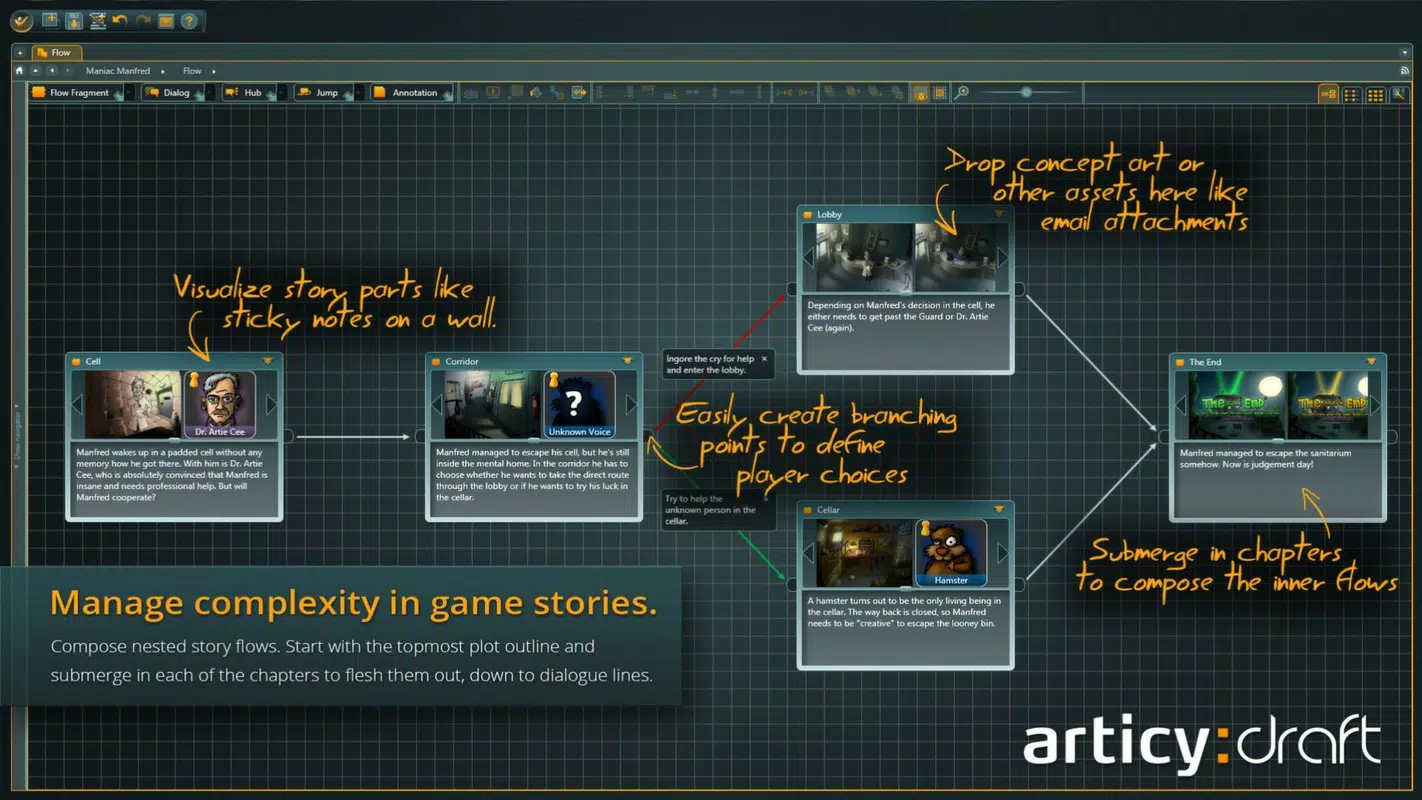
- Narrative Management Tools: The software excels in visualizing story structures, enabling designers to map characters, scripts, and branching plotlines in a dynamic, interactive canvas. This visual approach allows for real-time adjustments and clearer understanding of cause-and-effect relationships within the narrative.
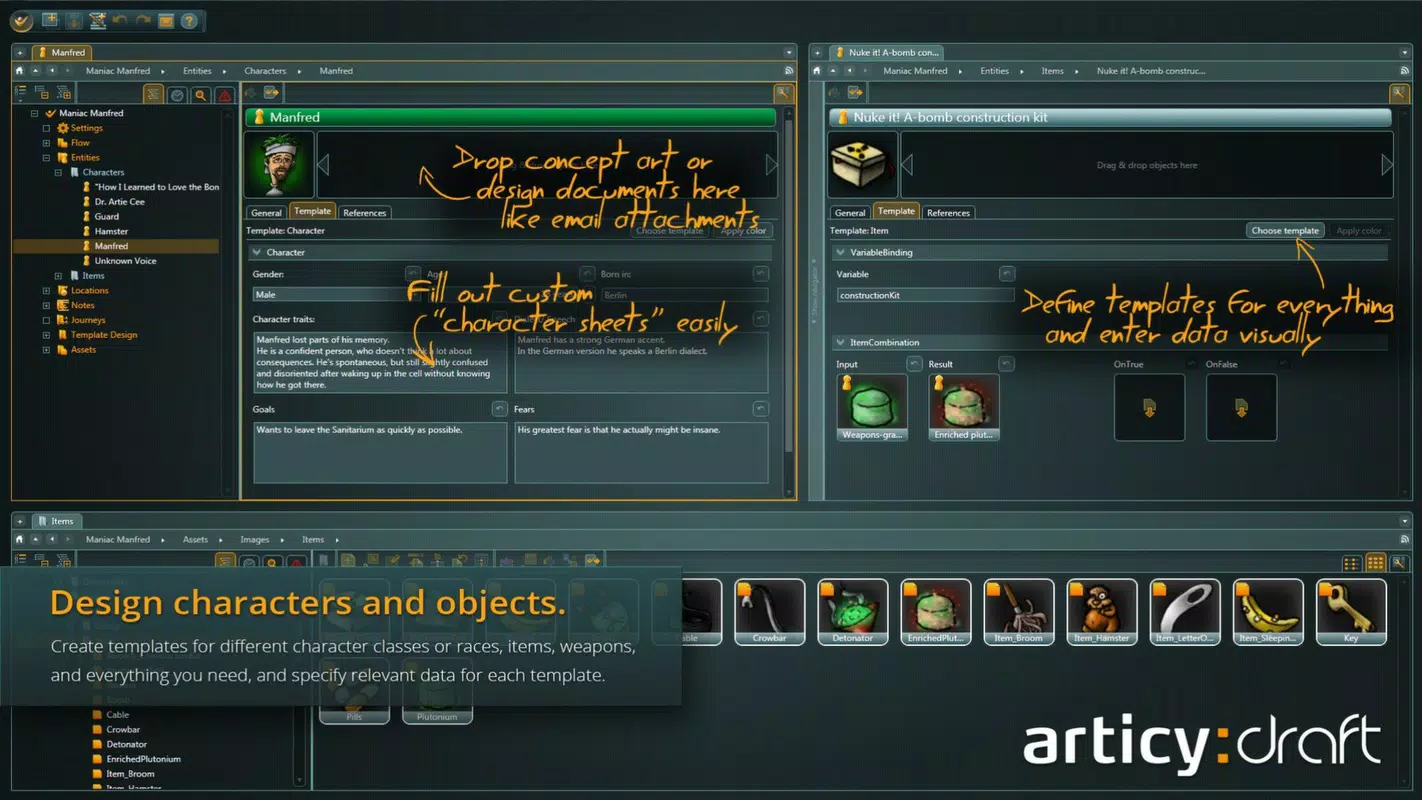
- Character Sheet Creation: Users can build comprehensive character profiles with attributes, skills, relationships, and backstories. These sheets serve as living documents that evolve alongside the story, supporting deep character development and consistency across game content.
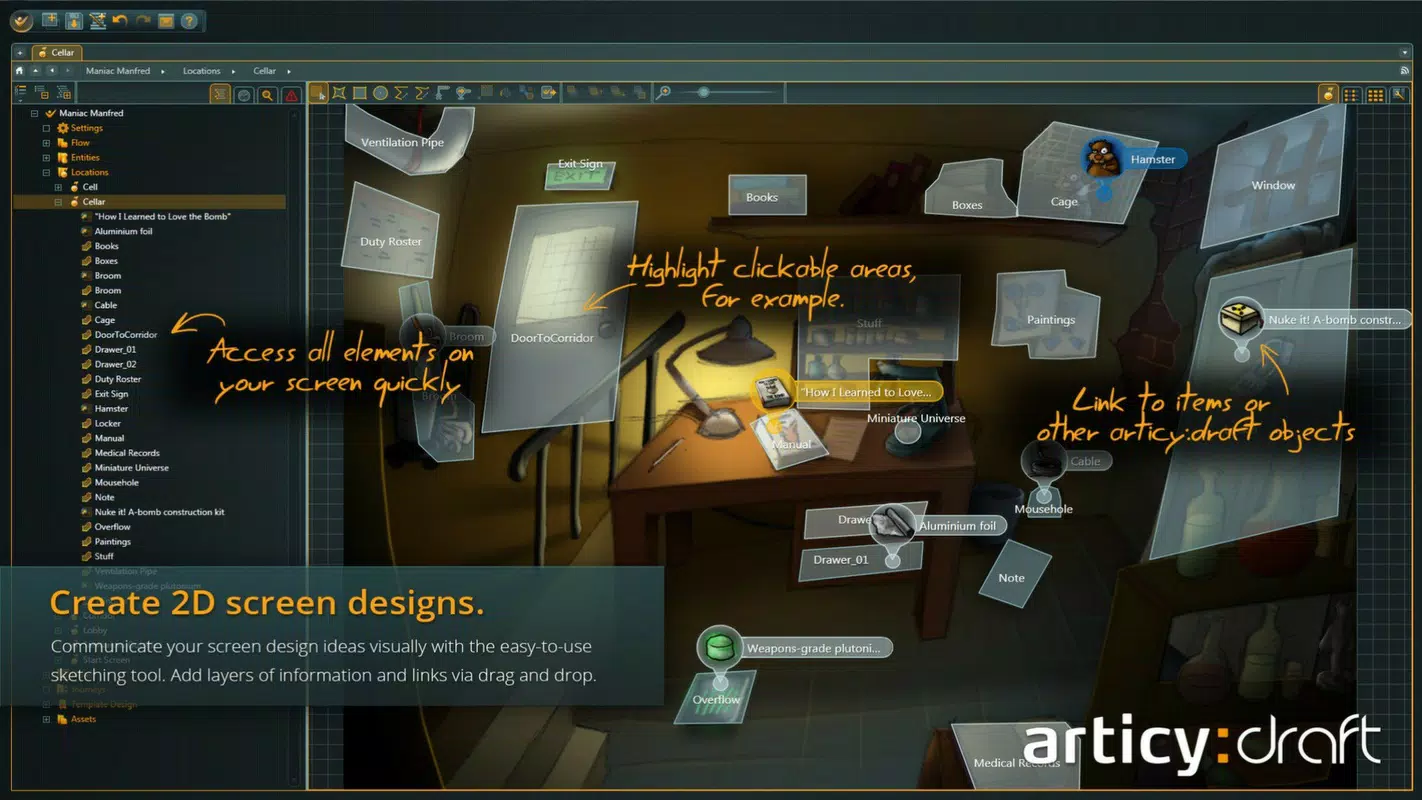
- Scene and Asset Design: articy: draft allows the creation and organization of scenes, weapons, vehicles, and other game assets within a unified database. Each asset can be tagged, linked, and referenced across the project, improving documentation and reducing redundancy.
- Flexible Export Options: Completed designs can be exported to formats including XML, Excel, and Word. This facilitates seamless sharing with team members, integration with other tools, and generation of formal documentation for developers, writers, and producers.
For example, a narrative designer might use the character sheet feature to define a protagonist’s traits and relationships, then link those to specific scenes and dialogue choices. The visual scripting interface would allow them to map out how player decisions influence story outcomes, with all data preserved and exportable for later implementation in a game engine.
Interface, UX & Performance
The user interface of articy: draft is structured around a central canvas where story elements are displayed as interconnected nodes. This layout supports a natural flow from concept to structure, with minimal clutter and clear visual hierarchy. The design emphasizes readability and ease of navigation, using color coding and consistent iconography to differentiate between character types, plot branches, and asset categories.
Navigation is primarily mouse-driven, with context menus and toolbars accessible through intuitive gestures. While the developer did not list formal performance metrics, the application appears optimized for desktop use, with responsive interactions and smooth transitions between views. Although the developer did not specify minimum OS requirements or compatibility details, the app’s stable release history suggests reliable performance across supported Windows environments.
Stability is a notable strength, with no reported issues related to crashes or data corruption. The interface remains responsive even when managing large projects with hundreds of interconnected elements. Users can expect consistent performance during extended design sessions, making it suitable for both quick ideation and long-term project development.
Platform Compatibility & Technical Requirements
articy: draft is available exclusively on the Windows platform. The current version is 1.1.3, with a file size of 107.5 MB. This indicates a lightweight installation relative to other game development tools, which often require significantly more storage.
Although the developer did not specify minimum OS requirements, the app’s release date of 2013 suggests compatibility with modern Windows versions, including Windows 10 and Windows 11. The absence of detailed technical specifications means users should verify system compatibility through official channels before installation. No mobile or cross-platform versions were mentioned.
Pros and Cons
- Intuitive interface suitable for beginners and experts
- Powerful visual tools for managing complex narratives
- Comprehensive character and asset management
- Flexible export options for team collaboration
- Stable performance with minimal reported issues
- Available only on Windows, limiting cross-platform use
- Price point of $149.00 may be prohibitive for casual users
- No mobile or web version currently available
- Developer did not provide detailed system requirements
- Requires desktop environment for full functionality
FAQ
Is articy: draft available for mobile devices?
As of now, articy: draft is only available for Windows. There is no official mobile or web version released by the developer.
Can I use articy: draft without prior game development experience?
Yes, the application is designed to be accessible to users at all skill levels. Its intuitive interface allows newcomers to begin creating story structures and character sheets without requiring technical or programming knowledge.
What file formats can I export my project to?
articy: draft supports export to XML, Excel, and Word formats. These options facilitate sharing with team members and integration with other development tools.
Is there a free version or trial of articy: draft?
The provided information does not mention a free version or trial. The app is listed at a price of $149.00, suggesting it is a paid product with no publicly disclosed free access.
How often is articy: draft updated?
The developer did not provide information on update frequency. The current version is 1.1.3, released on March 5, 2013, indicating a long-standing product with potential for periodic improvements.
Final Thoughts
articy: draft stands out as a focused, powerful tool for game designers who prioritize narrative clarity and creative organization. Its visual approach to storyboarding, combined with robust character and asset management, makes it an essential addition to any story-driven game development workflow. While the lack of mobile support and the premium price point may limit its accessibility, its value for professional and serious hobbyist developers remains high.
For teams seeking to streamline collaboration, maintain consistency in complex narratives, and produce well-documented game content, articy: draft delivers a reliable, efficient solution. Its long-standing presence in the market speaks to its durability and effectiveness.
Download articy: draft now


